SSD vs. HDD: The Impact on Your Data Recovery Chances
Meet the passionate team at CaliPhonia, where affordable computer repairs meet expert craftsmanship. Situated in the heart of Silicon Valley, our family-owned workshop boasts over a decade of experience in cell phone and computer repairs, micro-soldering, and wireless networks. From virus and spyware removal to home and business network installations, our skilled experts offer free in-office diagnostics and delivery within a 20-mile radius. Let us breathe new life into your devices today. Contact us and experience the CaliPhonia difference.
Introduction
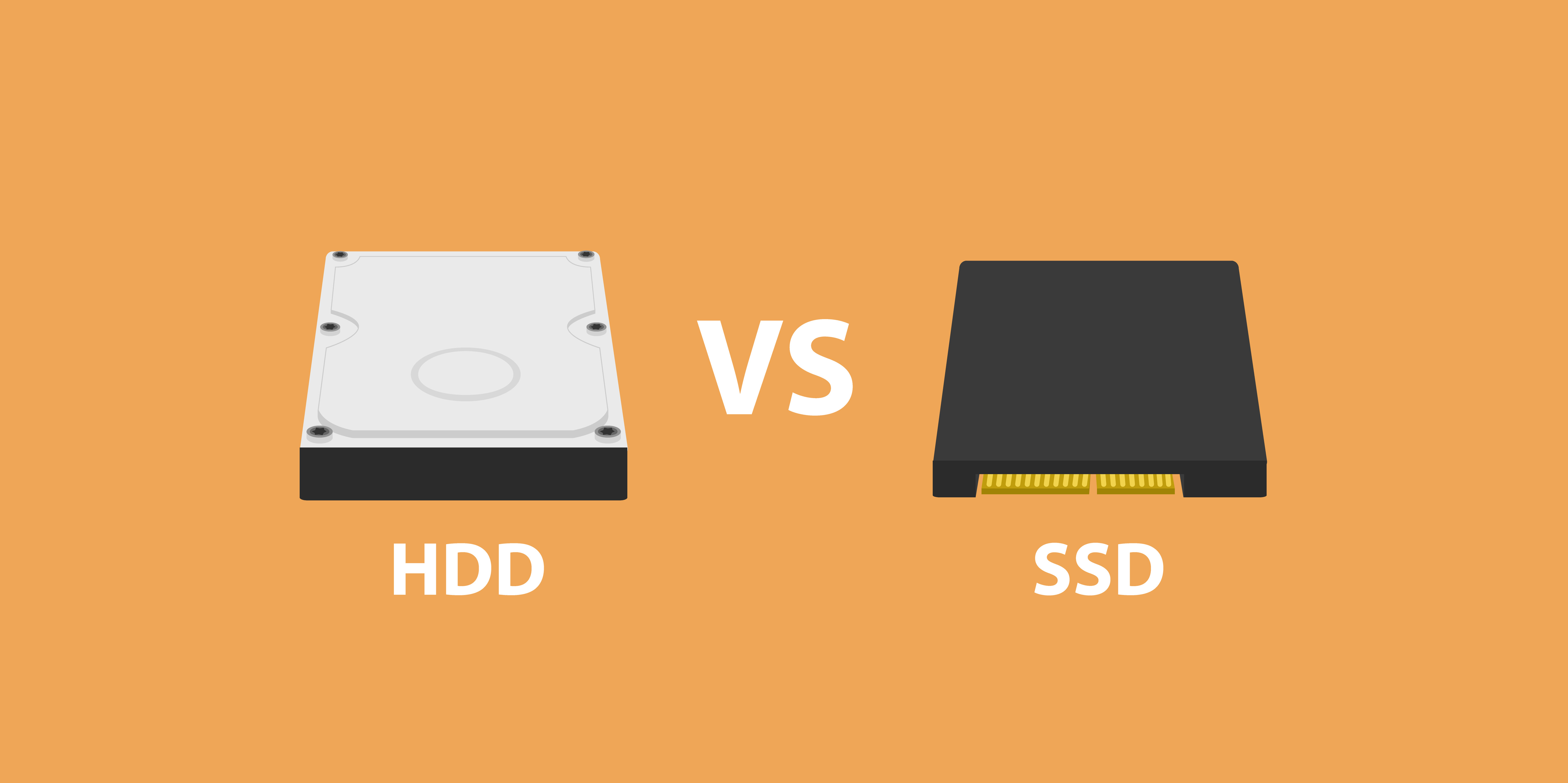
Picture this: your laptop refuses to turn on, and years of cherished photos, tax files, and work projects are trapped inside. For many people, that single moment can feel like losing part of their life. When it comes to data recovery, the type of drive inside your device—an SSD (Solid-State Drive) or an HDD (Hard Disk Drive)—determines whether your story has a happy ending.
At CaliPhonia – Phone & Computer Repair, we specialize in rescuing data from both SSDs and HDDs. Over the years, we’ve seen panicked customers walk in with crashed drives and walk out relieved with their files restored. But the truth is, not every case ends this way. The deciding factor often comes down to this question: between SSD vs. HDD, which gives you better recovery odds when disaster strikes?
This blog breaks down the real differences in recovery potential, exploring solid-state drive data recovery techniques, hard disk drive data loss causes, SSD vs HDD reliability for recovery, and the unique recovery challenges for SSD and HDD.
HDDs: The Mechanical Giants That Still Dominate
HDDs have been around since the 1950s. They use spinning disks coated with magnetic material to store data, while a read/write head hovers nanometers above the surface to fetch information. It’s an elegant dance of mechanics and magnetism.
But like any machine with moving parts, they wear out.
Common hard disk drive data loss causes include:
- Physical damage: Drop your laptop, and the head might slam into the platter, scratching data beyond recognition.
- Aging components: Motors, bearings, and platters degrade with time. Even a decade-old “healthy” HDD is on borrowed time.
- Overheating: Excessive heat warps internal components and causes misalignment.
- Power surges: Sudden outages can corrupt files mid-write.
- Logical corruption: Viruses, software errors, and accidental formatting damage file structures.
Signs your HDD may be dying
- Clicking, grinding, or whirring noises.
- Slow startup or freezing.
- Frequent error messages or missing files.
Recovery chances with HDDs
The upside of HDDs is their recoverability. If the problem is mechanical, trained technicians can often replace failed parts in a cleanroom and recover raw data from the platters. Even if logical corruption is involved, software recovery tools may rebuild lost file systems.
At CaliPhonia, we once recovered 10 years of tax records for a small accounting firm after their HDD suffered a head crash. By sourcing a donor head, rebuilding the drive temporarily, and imaging the platters, we restored nearly all of their data.
Bottom line: HDDs fail more often but usually leave recoverable traces.
SSDs: Fast, Modern, and Frustrating to Recover
SSDs are the modern favorite. They’re lightning fast, silent, and resistant to shocks. No moving parts, just memory chips and a controller. But this “new age” design comes with a twist: when SSDs fail, recovery is far more complicated.
Why SSDs fail
- Firmware corruption: The firmware mapping files to memory cells can glitch, locking the drive.
- Wear leveling limits: Each cell has a limited number of write cycles. SSDs spread data around, but eventually cells wear out.
- Power interruptions: Sudden power loss can corrupt data mid-transfer.
- Controller chip failure: If the “traffic cop” of the SSD dies, the entire drive may become unreadable.
The role of TRIM and encryption
Unlike HDDs, SSDs use commands like TRIM to wipe deleted sectors and keep performance high. Unfortunately, this makes recovery difficult because deleted data often disappears instantly. Some SSDs also encrypt data by default, adding another layer of complexity for recovery engineers.
Solid-state drive data recovery techniques
Unlike HDDs, SSD recovery isn’t as simple as swapping parts. Instead, technicians may need to:
- Perform chip-off recovery by physically removing memory chips and reading them individually.
- Use controller emulation to reconstruct lost mapping tables.
- Apply custom decoding software for specific SSD models.
These methods are highly technical, time-consuming, and sometimes only partially successful.
SSD vs HDD Reliability for Recovery
If we’re talking about everyday use, SSDs are generally more reliable. They’re resistant to shocks, faster, and consume less power. But when disaster strikes, reliability flips.
- HDDs: Fail more often but are usually more recoverable.
- SSDs: Fail less often but are usually harder to recover.
Think of it this way: HDDs are like an old pickup truck—they break down a lot, but any mechanic can fix them. SSDs are like Teslas—sleek and advanced, but if they fail, you need a specialist and even then, repairs aren’t always guaranteed.
Recovery Challenges for SSD and HDD
When it comes to retrieving lost data, not all storage devices put up the same fight. The differences between HDDs and SSDs become especially clear when you step into the world of recovery labs. Each comes with its own unique hurdles—some mechanical, some digital, and some nearly insurmountable.
HDD Recovery Challenges
- Requires sterile cleanroom environments - Hard disk drives are delicate machines with microscopic tolerances. A speck of dust landing on the platter can scratch it, rendering sections of your data permanently unreadable. This is why recovery experts open HDDs in sterile cleanrooms—controlled environments where dust and particles are filtered out. Without this step, even attempting a repair can make things worse.
- Donor parts are often needed - When an HDD suffers mechanical failure, replacing broken parts with identical “donor” components is often the only way forward. The challenge is finding a match: the donor drive must be the same model, firmware version, and sometimes even manufactured in the same batch. Imagine trying to fix a vintage car but only certain engines from a specific year will work—it takes precision, patience, and access to rare parts.
- Logical corruption can make file systems unreadable - Not all HDD problems are physical. Sometimes, the platters spin fine, but the file system itself is corrupted—like a library where all the book labels have been swapped around. Recovery then becomes a software puzzle, reconstructing lost file tables and stitching fragmented data back together. While possible, it requires powerful tools and expertise to avoid further scrambling the data
SSD Recovery Challenges
- Each manufacturer uses unique controller chips - Unlike HDDs, which have relatively standardized designs, SSDs vary wildly from brand to brand. Each manufacturer builds its own controller chip—the brain that decides how and where data is stored. This means recovery engineers must reverse-engineer solutions for each model, and techniques that work on one SSD may not apply at all to another. It’s like learning a new language for every drive.
- TRIM permanently erases deleted data - SSDs use TRIM commands to keep performance high by clearing unused storage cells. While this is great for speed, it’s terrible for recovery. Once TRIM wipes a block, the data is usually gone forever, unlike on HDDs where deleted files often linger until overwritten. For users, this means a single accidental deletion on an SSD may offer no second chances.
- Encrypted data may be impossible to recover without keys - Many modern SSDs come with built-in encryption for security. While this protects data from hackers, it also makes recovery exponentially harder. If the encryption keys are lost or the controller malfunctions, even advanced labs may not be able to access the contents. In effect, the same technology that safeguards your privacy can also seal off your own files permanently.
At CaliPhonia, we’ve invested in both sides of the coin. From specialized HDD head replacement equipment to SSD chip-off tools, we stay equipped for both. But the challenges show one truth: no drive is truly “safe” from permanent loss.
Prevention: The Best Data Recovery Plan is Avoiding It
At CaliPhonia, we always remind customers that the only foolproof strategy is backups.
Tips for both SSD and HDD users:
- Use cloud storage for critical documents.
- Keep at least two backups—one local, one offsite.
- Invest in a surge protector or UPS to avoid power-related corruption.
- Replace old drives proactively. HDDs over 5 years old and SSDs nearing their write limit should be retired.
Recovery is possible, but prevention is cheaper, faster, and less stressful.
The Future of Data Recovery
Technology is advancing on both sides:
- For HDDs: Engineers are developing better imaging tools and even AI software that reconstructs lost sectors.
- For SSDs: Chip-off recovery is improving, and AI algorithms can now guess lost mapping structures.
- Hybrid drives: As devices combine SSD and HDD features, technicians must adapt to new, mixed challenges.
CaliPhonia is committed to staying at the cutting edge so we can give every client the best possible chance.
FAQs
Q1: Can all data be recovered from a failed SSD or HDD?
Not always. HDDs have higher success rates, while SSDs with TRIM or controller failure may lose data permanently.
Q2: Why is SSD recovery more expensive?
Because recovery challenges for SSD and HDD differ, and SSDs require advanced chip-level tools and decoding software.
Q3: Is DIY recovery safe?
For HDDs, software attempts might help with logical errors but can make physical failures worse. For SSDs, DIY rarely works. Professional help is safer.
Q4: Which lasts longer, SSD or HDD?
SSDs have no moving parts and often last longer in daily use. HDDs wear out mechanically, but they’re more forgiving for recovery.
Q5: What should I do immediately after drive failure?
Power down the device. Every additional attempt can reduce recovery chances. Bring it to professionals as soon as possible.
Key Takeaways
- HDDs: Fail often but usually recoverable with specialized tools.
- SSDs: Fail less often but recovery is complex, requiring advanced solid-state drive data recovery techniques.
- hard disk drive data loss causes include physical shock, overheating, and corruption.
- Comparing SSD vs HDD reliability for recovery, HDDs usually win despite higher failure rates.
- Both pose unique recovery challenges for SSD and HDD, making backups the best defense.
Remember:
No storage device lasts forever. Your best protection is a smart backup strategy and trusted professionals like CaliPhonia to turn to when disaster strikes.
Disclaimer:
This blog is for informational purposes only and does not guarantee recovery outcomes. Always consult professionals for device-specific advice.